
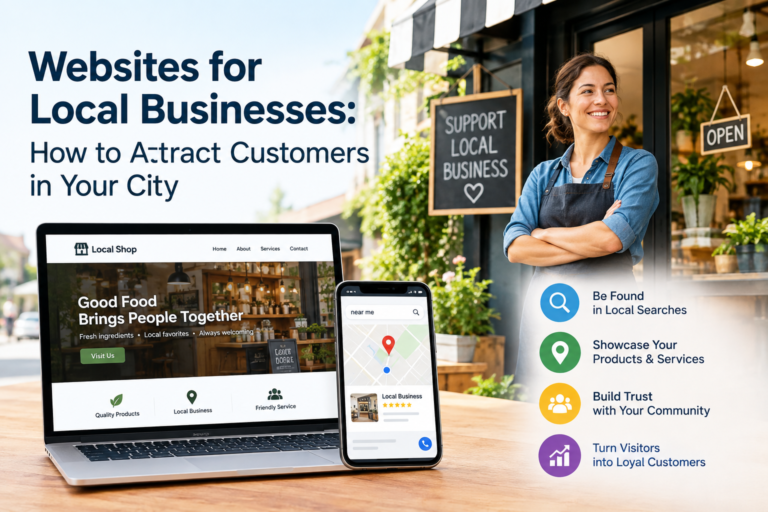
A neighbor asks a friend where to find a good plumber, and the friend picks up a phone. That same moment happens all day long, for bakeries, dentists, auto shops, salons and law offices. Before anyone walks through your door or dials your number, they usually search Google, scan a few reviews and open one or two websites. If yours loads slowly, looks outdated or leaves out basics like hours and address, they close it and try the next result. You never find out that customer existed.
This guide explains how a local business website works, what Google currently rewards and what to fix first. It is written for owners who run a shop, an office or a service crew and want more calls, bookings and walk-ins from people nearby. If you plan to hire someone for website design elgin business owners can rely on, use these points as a checklist before you sign anything.
People search for local businesses in two main ways. The first includes a place name, such as “roof repair in Elgin.” The second is “near me,” where Google works out the phone’s location and shows the closest matches. Both lead to the same result page: a map with three businesses at the top, followed by regular website listings.
Your website supports both. It tells Google what you do, where you work and why you are a good match. It also gives the person a reason to pick you once they land on it.
Most visitors decide quickly. They want to know four things: what you do, whether you serve their area, whether other people trust you and how to reach you. If those answers are not visible without scrolling or hunting through menus, many will leave.
Think about your own habits. When you need a same-day repair, you do not read three pages of company history. You look for a phone number, a service list and a few reviews. Your customers behave the same way.
Some owners feel a Google Business Profile is enough. It helps a great deal, but it has limits. A profile shows your name, hours, photos and reviews. It cannot explain your process, show your pricing approach or answer detailed questions. A website is the one place online you fully control, and it is where a curious searcher becomes a paying customer.
Most local searches happen on a phone, often while someone is standing in a parking lot or sitting in a car. A page that takes more than a few seconds to appear loses people fast. Google measures loading, responsiveness and visual stability through a set of signals called Core Web Vitals, and slow sites tend to lose ground to faster ones.
The usual causes of slow pages are simple. Huge photos straight from a camera, too many plugins, cheap hosting and heavy animations are the most common. Compress images before uploading, remove plugins you no longer use and choose hosting that responds quickly. These changes alone often cut load time by half.
Open your own website on your phone right now. Can you read the text without zooming? Can you tap the buttons without hitting the wrong one? Is the phone number a tap-to-call link? Google uses the mobile version of your site as its main version for ranking, so a clumsy phone layout hurts you twice: once with visitors and once with search results.
Keep text at a comfortable size, leave space around buttons and put the most important action, usually a call or booking button, near the top of every page.
A local business site does not need fifty pages. Most do well with a home page, a page for each main service, an about page, a reviews or projects page and a contact page. Every page should be reachable within two clicks from the home page. Clear menu labels such as “Services,” “About” and “Contact” work better than clever names that make people guess.
Your profile is often the first thing a local customer sees, so treat it as part of your website strategy. Choose the most accurate main category, list your services, add your service area, keep hours current (including holidays) and upload real photos of your team, your space and your finished work. Reply to reviews, both good and bad, in a calm and useful way.
Your business name, address and phone number should match everywhere: your website, your profile, social pages and directories. Small differences, like “Street” on one site and “St.” on another, or an old phone number left on a directory, can confuse search engines and customers. Check the main directories once a quarter and correct anything that does not match.
If you serve more than one town or neighborhood, give each main area its own page, but only when you have something real to say about it. A useful area page mentions actual jobs you completed there, common local questions and how quickly you can arrive. Copying the same paragraph and swapping the town name creates thin pages, which Google’s spam policies specifically warn against. One honest page beats ten copies.
Embed a map on your contact page, add your address in the footer and mention nearby landmarks or neighborhoods where it feels natural. Adding local business structured data (schema markup) gives search engines a clean, machine-readable summary of your name, address, hours and services. Most modern website builders and plugins can add it for you.
Google has said for years that it wants content made to help people, not to game rankings. Its helpful content guidance, now built into the core ranking systems, favors pages that show real experience, clear expertise and honest answers. Pages written only to hit keywords, or produced in bulk with little care, are the kind that lose visibility after updates.
For a local business, this is good news. You have something that a large national site cannot copy: direct experience with your customers and your city.
Think about the questions you hear every week. How much does it cost? How long does it take? Do you handle emergencies? What should I do before you arrive? Turn those into short, clear sections on your service pages or a simple FAQ. Write the answers the way you would say them to a customer standing in front of you.
Specific beats general every time. “Most repairs like this take two to three hours, and we bring the common parts with us” is more useful than “we provide fast and professional service.”
Google’s quality guidelines put weight on experience, expertise, authoritativeness and trust. You can show these without claiming anything fancy:
A short note under a project photo, such as what the customer needed and what you did, tells both readers and search engines that a real person did the work.
Update pages when prices, services or hours change. Add a new project or a seasonal tip when you have something worth saying. Do not publish weekly posts just to look active. Ten strong pages that stay accurate will serve you better than a hundred thin ones.
Reviews are often the deciding factor between two similar businesses. Ask happy customers to leave one right after the job, when the experience is fresh. Send a direct link to your review page so it takes them under a minute. Then show a few of the best ones on your website, with the customer’s first name and the type of job.
Never buy reviews or write them yourself. Google can remove them, and customers can tell when they sound fake.
Trust is built from small things adding up. A page that shows a real address, real faces and real work feels different from a generic template. Here is a quick checklist of what every local business page should include:
If a page is missing more than two of these, that is the first place to improve.
You may not be able to list exact prices, but you can explain what affects them. Say what changes the cost, give a rough range where possible and describe how quotes work. Visitors who understand pricing before they call are more likely to book and less likely to argue later.
Every page should point to one main action. For a plumber, that might be “Call now.” For a salon, “Book an appointment.” For a contractor, “Request a quote.” Too many choices slow people down. Place the main button at the top of the page and repeat it at the bottom.
A contact form with ten required fields will lose most visitors. Ask for a name, a way to reach them and a short message. You can collect extra details after the first conversation. Add a confirmation message so people know the form worked, and reply as quickly as you can. Many customers contact two or three businesses and hire whoever answers first.
Some people like calling, some prefer a form and some want to message. Offer at least two options. If you already use online booking, place the link where people can spot it without scrolling.
If you would like a second opinion on how your own site handles this, MYA Graphics can review it with you. Use the contact form on our website to book a time, and we will go through your pages together.
Many local sites lose visitorLs for the same few reasons. Understanding them helps you avoid expensive fixes later.
The first is using stock photos everywhere. Visitors notice when a “local team” is clearly a group of models, and it weakens trust. The second is burying contact details, so people must dig through menus to find a phone number. The third is ignoring mobile, where most of your traffic arrives. The fourth is publishing copied or near-identical location pages, which can trigger spam filters. The fifth is letting the site go stale, with old prices, closed locations or expired offers still showing.
Another common problem is building a website that pleases the owner rather than the customer. A design can look impressive and still fail if visitors cannot find your services in five seconds. When you review your site, imagine you are a stranger with a problem to solve and see how quickly you can get an answer.
Finally, many owners never check their results. A site that has not been reviewed in two years is probably working against you in small ways you cannot see.
You do not need complicated tools to understand your website. Google Search Console is free and shows which searches bring people to your site and how often you appear. Google Analytics shows how visitors behave once they arrive. Your Google Business Profile reports calls, direction requests and website clicks.
Look at these numbers once a month and ask simple questions. Which pages get the most visits? Where do people leave? How many calls and form submissions came from the site? If a service page gets traffic but no inquiries, the page probably needs a clearer message or a stronger call to action.
Also ask customers how they found you. A simple question on your intake form or when you answer the phone gives you information no report can. Write down the answers and look for patterns.
You can build a decent site yourself, but many owners prefer to hand it to someone who does it daily. When you talk to a designer or agency, ask to see live examples of local business sites they have built, not only screenshots. Ask how they handle mobile speed, how they set up local search basics and who owns the site and domain when the project ends. Ask what happens if you want to make changes later.
Be careful with anyone who promises first-page rankings by a certain date. Nobody outside Google controls rankings, and honest professionals say so.
A designer who knows your area understands how nearby customers search, which neighborhoods you want to reach and what competitors are doing. That is one reason many owners choose a local team for website design elgin customers can meet in person, review together and call when something needs fixing. Whoever you pick, make sure the site is built for your customers first and for search engines second.
Compare proposals by what is included, not only by price. Check whether hosting, security updates, basic local search setup and training are covered. A lower quote that leaves out these items often costs more later.
Attracting customers in your city comes down to a handful of steady habits. Keep your site quick and easy to use on a phone. Keep your business details consistent everywhere. Write pages that answer real questions with real experience. Show proof through honest reviews and original photos. Make the next step obvious. Then check your numbers monthly and fix what is not working.
None of this needs tricks. Google’s updates keep moving toward the same goal, which is showing people useful pages from businesses they can trust. If your website does that job well, it will keep bringing in customers year after year.
If you want help putting these steps into practice, MYA Graphics builds and improves local business sites with website design elgin owners can use to get real calls and bookings. Send us a message through the contact form on our website to book a free consultation, and we will start with a review of your current site.
